(Hi! If you don't already have a machine with Python and Pygame installed, then hop back to the ``foreward'' section to download and install them so you can get started.)
One of the simplest things that can be done with Python is to use it as a fancy calculator. Wait, a calculator isn't a game. Why are we talking about calculators? Boring....
Hey, to calculate objects dropping, bullets flying, and high scores, we need calculations. Plus, any true geek will consider a calculator as a toy rather than a torture device! Let's start our game education with calculators. Don't worry, we'll start graphics by Chapter 5.
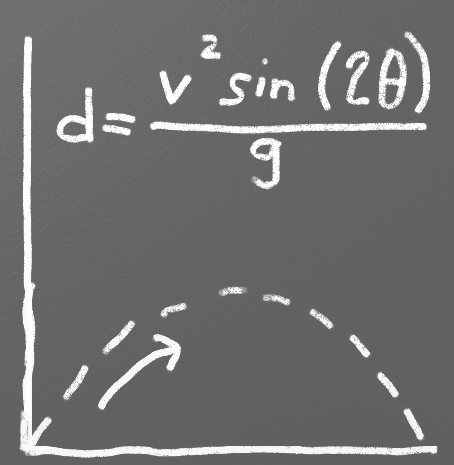
A simple calculator program can be used to ask the user for information and then calculate boring things like mortgage payments, or more exciting things like the trajectory of mud balls as they are flung through the air.
Figure fig.kinetic_energy shows an example program
that calculates kinetic energy, something we might
need to do as part of a game physics engine.
Fatal error: Uncaught ArgumentCountError: Too few arguments to function figure(), 4 passed in /var/www/datas/dossiers_personnels/sebastien/Projets/Projets Python/programarcadegames.com/traduction/02_python_as_calculator.php on line 41 and exactly 5 expected in /var/www/datas/dossiers_personnels/sebastien/Projets/Projets Python/programarcadegames.com/traduction/header_test.php:113
Stack trace:
#0 /var/www/datas/dossiers_personnels/sebastien/Projets/Projets Python/programarcadegames.com/traduction/02_python_as_calculator.php(41): figure('fig.kinetic_ene...', 'chapters/01_pyt...', 'Using Python to...', 100)
#1 {main}
thrown in /var/www/datas/dossiers_personnels/sebastien/Projets/Projets Python/programarcadegames.com/traduction/header_test.php on line 113